Old photographs deteriorate in distinct ways. Some have deep physical scratches. Others suffer from faded colors or a general soft, blurry look. A single tool cannot fix all of these issues equally well. This list isn’t about the three “best” tools in absolute terms. It’s about three effective solutions, each built for a specific restoration scenario. Your success depends on matching the tool’s core strength to the primary problem in your image.
1. Renew Photo
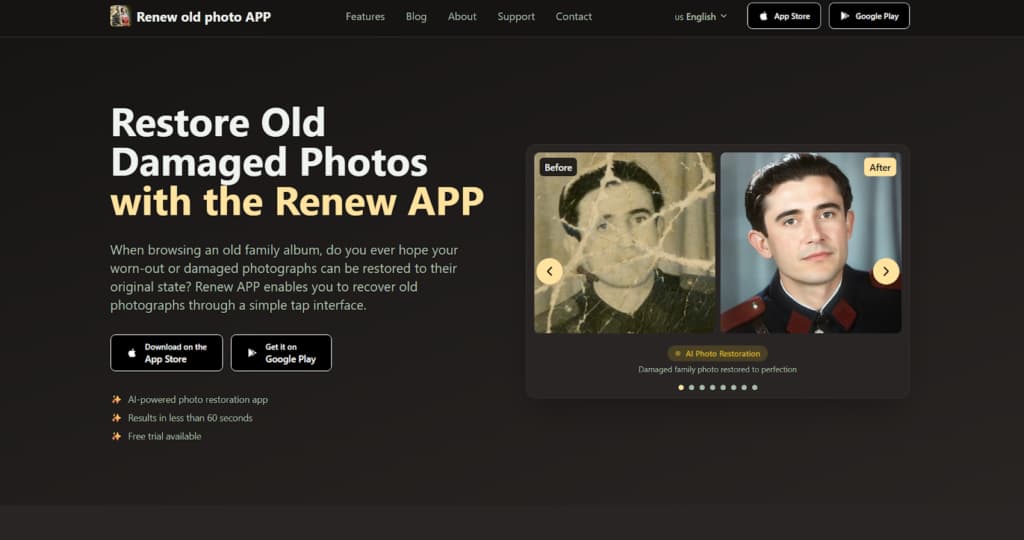
Renew Photo is engineered for physical damage repair. It treats the scanned image of an old print as a damaged object, not just a low-quality file. The service is built for photos from physical albums, including images with scratches, cracks, water stains, or tears in the emulsion. Its algorithm focuses on surface reconstruction. It identifies defective areas, then attempts to rebuild them by sampling and blending data from surrounding intact pixels. This is a process of structural mending, fundamentally different from simply adjusting brightness or saturation.
Where Renew Photo Performs Best
The tool is most effective on the classic deterioration found in printed photographs. It handles the predictable damage that occurs to a physical object stored for decades. Its logic is tuned for clear, localized problems on an otherwise readable image surface.
Its automated process consistently addresses these specific issues:
- Repair of scratches and surface cracks;
- Reconstruction of damaged tonal regions;
- Recovery of faded contrast and depth;
- Optional colorization for monochrome originals.
It provides reliable results for photos with uniform fading or isolated scratches. Complex natural textures, like dense foliage or intricate fabric patterns, can confuse the patching logic. The algorithm might create repetitive, unnatural patterns in these areas. Large missing sections are another weak point. The AI will generate a fill, but it often looks like an obvious, context-free smudge.
2. RetroFix
RetroFix is designed for speed, not for deep archival restoration. Think of it as a visual refresh tool. It’s for photos that aren’t critically damaged but look old, dull, and flat. The goal is a quick improvement for digital viewing or sharing. The process is fully automatic, offering no manual controls or sliders for fine-tuning. You get a one-click enhancement that applies a universal formula. This makes it ideal for users who prioritize a fast, decent-looking result over meticulous correction.
Typical Results From One-Click Processing
The software does not analyze specific defects. Instead, it applies a standard set of global adjustments designed to make most images appear more vibrant and defined. The changes are broad and uniform, affecting the entire picture equally without targeting particular problems.
You can expect this predictable set of automated edits:
- Global brightness and contrast boost;
- Automatic sharpening across the frame;
- Fast AI-based colorization;
- One-step processing without manual control.
The output is brighter and sharper within seconds. This convenience comes with clear compromises. Oversmoothing is common, particularly on skin tones, which can gain a plastic, airbrushed texture. The automatic colorization is a gamble; it often applies implausible colors to objects, turning a grey wall blue or a brown field an unnatural shade of green.
3. VanceAI

VanceAI Photo Restorer combines repair with aggressive quality enhancement. It is intended for more complex cases where a photo has multiple overlapping issues, for example, when it is both scratched and noisy or faded and blurry. This tool uses a more intensive model that attempts to clean, correct, and sharpen in a single automated pass.
The processing is heavier than the first two tools, resulting in more dramatic visual changes. These changes, however, often move the image further from its original character.
Combined Repair and Enhancement Profile
The algorithm works to address several problems simultaneously. It doesn’t just fix a scratch; it also tries to boost the overall detail and color saturation around it. This can create a powerful visual transformation, especially for photos in very poor condition. But the line between restoration and reinterpretation gets blurry.
Its processing pipeline executes several functions at once:
- Automatic scratch and defect reduction;
- AI-driven color and contrast correction;
- Detail and sharpness enhancement;
- Broad processing across mixed damage types.
The most common issue is overprocessing. The strong smoothing and sharpening can erase fine, authentic textures like film grain or fabric weave. Surfaces can take on a uniform, synthetic appearance. Faces might look strangely wax-like. It’s effective when you need a powerful, all-in-one fix and are willing to accept a result that looks heavily AI-processed.
How These Three Tools Differ in Practice
The difference isn’t about which tool is “better.” It’s about their fundamental operational focus. Each one solves a different class of problem. Renew Photo acts as a digital conservator for physical damage. Its role is to restore structural integrity by making a torn image whole again. RetroFix functions as a quick photo lab that delivers fast, generic enhancements for images that only need a visual lift. VanceAI Photo Restorer operates like a heavy-duty digital workshop. It’s for complex salvage jobs, applying combined techniques that clean, rebuild, and amplify, often at the cost of the original’s authentic feel.
Choosing between them requires a simple diagnostic. Is the main issue a physical defect on a scanned print? That’s Renew Photo’s domain. Is the photo merely dull and you need a fast improvement for a screen? RetroFix handles that. Is the image a mess of multiple, severe quality issues where a powerful, combined overhaul is the only option? Then VanceAI is the logical, if heavy-handed, choice. They occupy separate niches.
Final Takeaways
There is no universal restoration solution. The “best” tool is an illusion. An effective choice depends entirely on an accurate diagnosis of your photo’s primary flaw. Using a heavy enhancer like VanceAI on a simple faded photo can create artificial artifacts. Using a quick fixer like RetroFix on a deeply scratched print will leave the core damage untouched. The goal is precision, not power. It’s more effective to correctly match a specialist tool to a specific problem than to chase the most “advanced” or “powerful” option. Start by looking closely at what is actually wrong. Then pick the tool built to fix that exact thing.